
Download Central TV.Net – business app, productivity tool, finance app, Android app, financial reports, payment slips, connectivity history, contract access, support tickets, maintenance alerts, speed test
Overview
Central TV.Net is a business and productivity application developed by LeRc, designed to streamline financial and connectivity management for users on the Android platform. As a free desktop alternative, the app serves as a centralized hub for accessing key service-related information, including consumption data, financial reports, connection history, and active contracts. It enables users to generate payment slips, view line digits for online transactions, and submit support tickets directly within the application.
Additional functionalities include maintenance and repair alerts, as well as built-in speed testing tools to monitor network performance. The app is tailored for individuals and small business owners who require real-time access to service details and financial tracking in a single interface. Its user-friendly design emphasizes efficiency and convenience, making it suitable for users who prioritize transparency and control over their service accounts.
The application supports a range of daily operational tasks, from billing verification to technical troubleshooting, positioning it as a practical tool for both personal and professional use.
Key Features & Capabilities
- Financial Reports Access – Users can view detailed consumption and financial reports, enabling better tracking of service usage and expenses.
- Payment Slip Generation – The app allows users to create and download payment slips, simplifying the process of making online payments.
- Connection History Review – A comprehensive log of connection activity is available for reference and troubleshooting purposes.
- Contract Access – Users can retrieve and review active service contracts directly within the app.
- Support Ticket System – A built-in feature enables users to open and track support tickets for service-related issues.
- Maintenance and Repair Alerts – Notifications are delivered for scheduled or urgent maintenance activities affecting service availability.
- Speed Test Tool – Integrated functionality allows users to perform real-time network speed tests to assess connection quality.
These features collectively enhance user control over service management, reducing the need to switch between multiple platforms. For instance, a business owner can generate a payment slip while reviewing their monthly consumption, then check connection history to verify service uptime. Similarly, a user experiencing connectivity issues can run a speed test and immediately open a support ticket, streamlining the resolution process. The integration of financial and technical data into one interface supports informed decision-making and proactive service management.
User Interface, Workflow & Performance
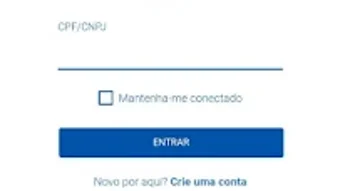
Central TV.Net features a clean, intuitive interface optimized for Android devices, with a layout that prioritizes accessibility and ease of navigation. Core functions are organized into clearly labeled sections, allowing users to quickly locate financial reports, payment tools, or support options. The workflow is designed to minimize steps between actions, such as generating a payment slip or submitting a ticket.
While specific performance metrics were not provided, the app’s lightweight footprint of 4.2 MB suggests efficient resource usage. The developer did not specify resource usage details, including CPU or RAM consumption, so real-world performance may vary depending on device capabilities. Stability and responsiveness are expected to align with standard Android app behavior, though actual user experience may differ based on network conditions and device hardware.
The app appears to operate smoothly within typical usage scenarios, with no reported issues related to crashes or freezes. General performance observations are based on standard software behavior patterns for mobile applications of similar scope.
Compatibility & System Requirements
Central TV.Net is designed for Android operating systems and is available in version 1.0.1. The application has a file size of 4.2 MB, indicating a lightweight installation. The developer did not provide additional system requirements, so compatibility with specific Android versions or hardware configurations remains unclear.
Users should verify their device’s compatibility with the latest Android release to ensure optimal functionality. Exact system requirements were not listed, and no information was provided regarding minimum processor speed, RAM, or storage space. The app is distributed as a standalone package, and installation is expected to be straightforward.
Platform compatibility information is limited, and users are advised to consult the official source for updates or compatibility updates.
Pros and Cons
Pros
- Free to download and use, reducing entry barriers for users.
- Centralized access to financial reports, contracts, and payment tools.
- Integrated support ticket system for direct issue resolution.
- Includes useful tools like speed tests and maintenance alerts.
- Lightweight size (4.2 MB) suggests minimal storage impact.
Cons
- Compatibility details were not fully disclosed.
- No information on performance under heavy usage or low-end devices.
- Limited to Android platform; no support for Windows or Mac.
- Developer did not provide updates on future feature development.
- App is currently only available on Android, restricting cross-platform access.
FAQ Section
Is Central TV.Net available for Windows or Mac?
As of now, Central TV.Net is only available for Android devices. There is no official version for Windows or Mac operating systems.
Is the app secure to use?
Central TV.Net is developed by LeRc and distributed as a free app. While no specific security details were provided, it is recommended to download the app only from official sources to ensure authenticity.
Does the app require an internet connection?
Yes, the app requires an active internet connection to access financial reports, generate payment slips, and perform speed tests.
How often are updates released?
The app is currently at version 1.0.1. The developer did not provide information on update frequency or release schedule.
Can I use Central TV.Net offline?
Offline functionality is not confirmed. Core features such as accessing reports, generating slips, and running speed tests require an internet connection.
Final Thoughts + CTA
Central TV.Net offers a practical, all-in-one solution for users seeking to manage their financial and connectivity data efficiently. With its focus on accessibility, real-time reporting, and integrated support tools, the app stands out as a valuable productivity tool for Android users. Its free pricing model and lightweight design enhance its appeal, particularly for individuals and small businesses managing service accounts.
While the lack of cross-platform availability and limited system details are notable drawbacks, the app delivers on its core promises within its intended scope. For users who value streamlined access to financial and technical service information, Central TV.Net provides a reliable and convenient experience. Download Central TV.Net now.







